
How to Update Amazon Product Dimensions & Weight
If you encounter error code FBA_INB_0004 or FBA_INB_0005 while creating an FBA shipment in Boxem, it usually means Amazon is missing the dimensions and/or weight for a product in their catalog.
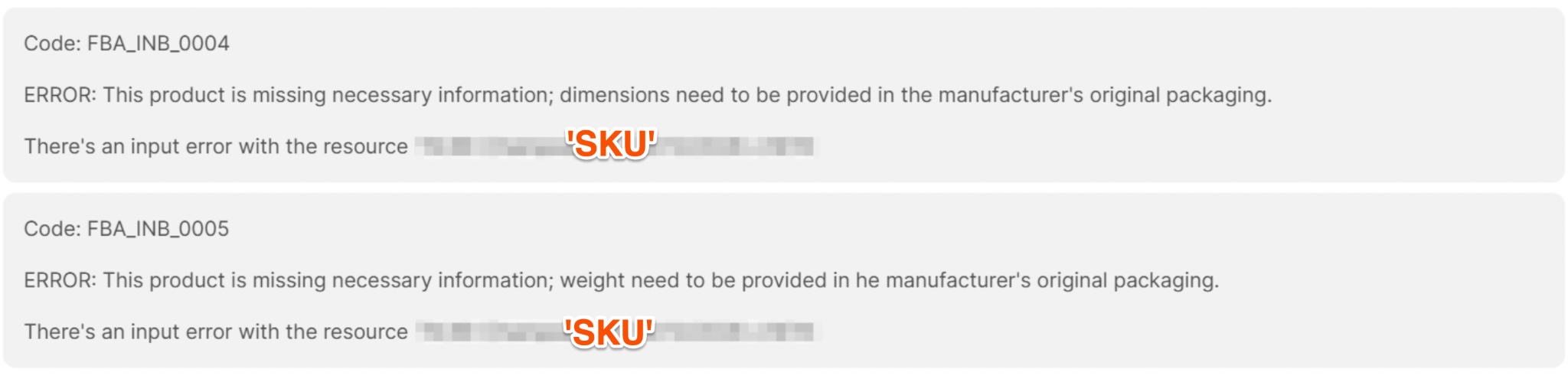
These errors can prevent you from moving forward with your shipment. Fortunately, you can resolve them by updating the product information directly in Amazon Seller Central.
Step 1: Find the Affected Product in Seller Central
When one of these errors appears, Amazon includes the affected SKU(s) in the error message. Use that information to identify which products need to be updated.
- Log in to Amazon Seller Central.
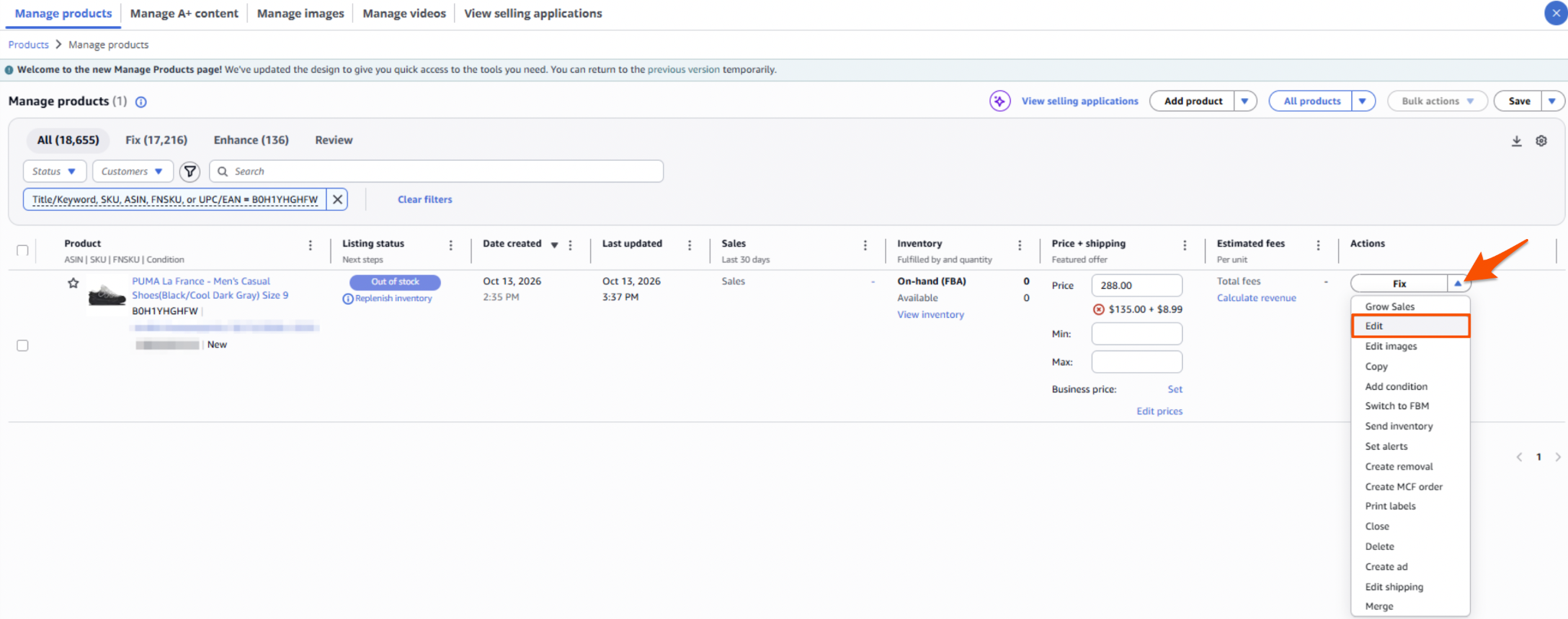
- Navigate to Products > Manage Products.
- Search for the SKU or ASIN of the affected product.
- Click the drop-down menu on the right side of the product listing and select Edit.
Step 2: Update the Product's Dimensions & Weight
Once you're on the product editing page:
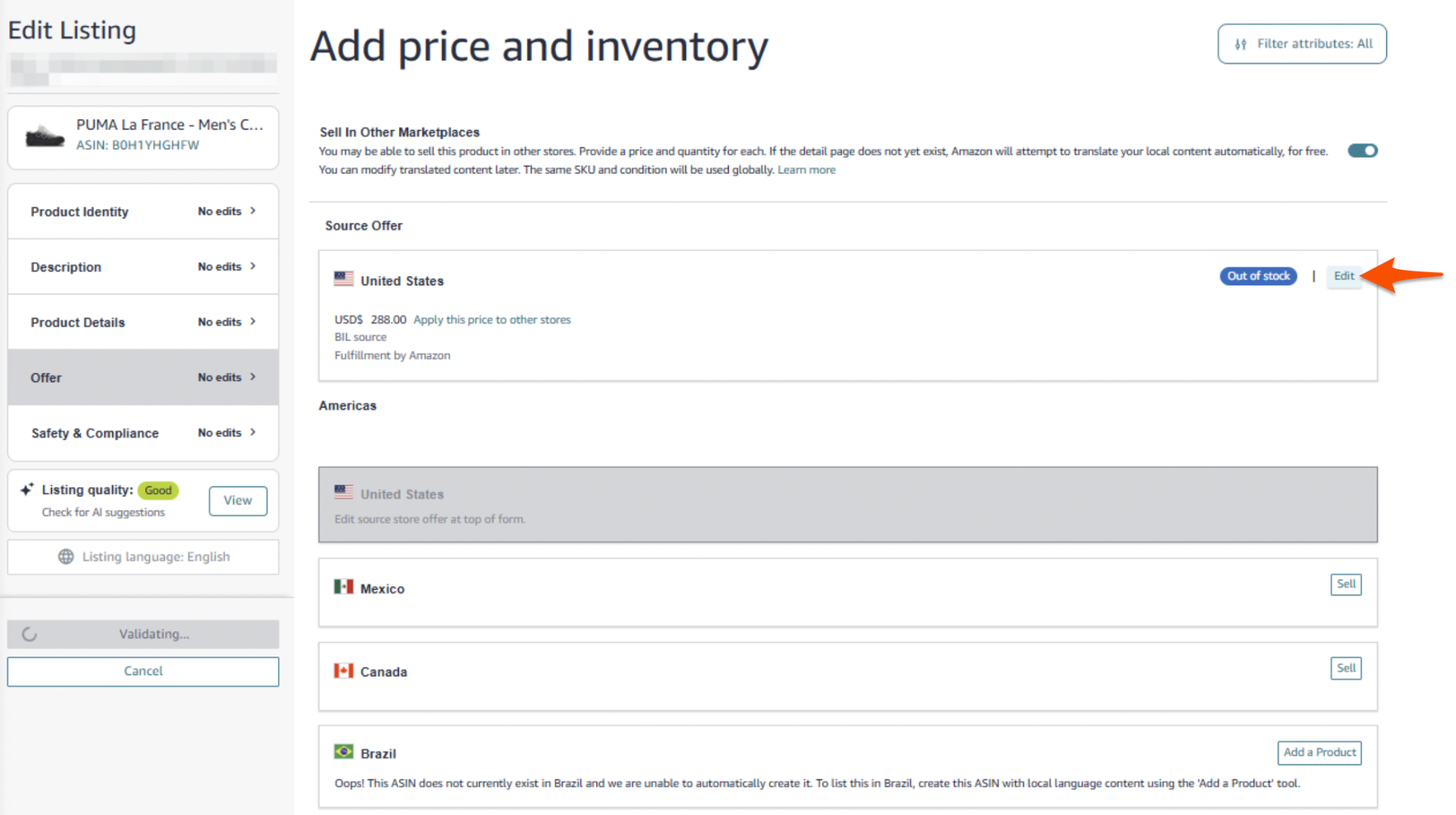
- Under Offer on the left side of the page, click Edit next to the marketplace you want to update. For example, select the US offer if you're selling in the United States.
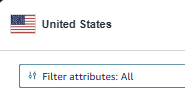
- Make sure the attributes are filtered to All Attributes. Otherwise, the dimension and weight fields may not appear by default.
- Locate the fields for the product's Item Package Dimensions and Package Weight, then enter the correct information.
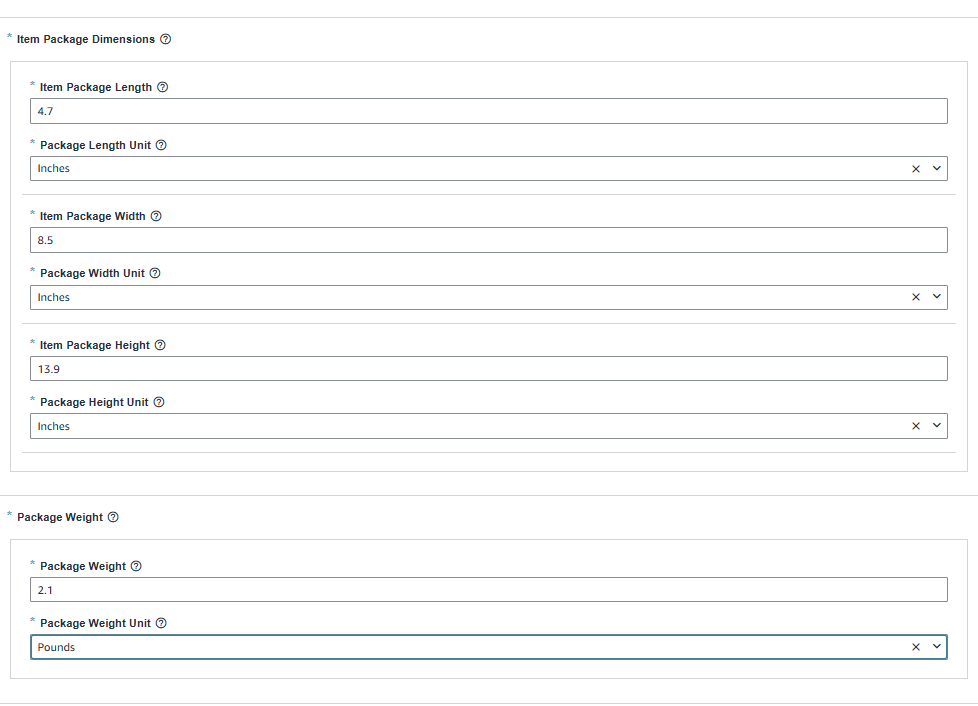
If you're unsure of the measurements, you have a couple of options:
- Measure the product yourself. Weigh the product and measure its length, width, and height.
- Find a comparable product on Amazon. Look for a nearly identical product with dimensions and weight already listed. Use this as a reference, but verify that the measurements accurately reflect your product.
Make sure the information you enter is accurate and uses the appropriate units.
Step 3: Save and Submit Your Changes
This step is important because saving the information in the editing window may not be enough to submit your updates to Amazon.
- Click Save on the product editing page.
- If a pop-up appears where you entered the weight and dimensions, click Save there as well.
- Click Submit Edits to submit your changes to Amazon.
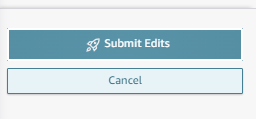
Make sure you complete both the save and submission steps so Amazon can process the updated product information.
Step 4: Return to Boxem
Once you've submitted the changes in Seller Central, return to Boxem.
The error should clear automatically within 15–30 minutes as Boxem receives the updated product information from Amazon.
If the error persists after that timeframe, double-check that the weight and dimensions were entered correctly and that you clicked Submit Edits in Seller Central. You may need to allow additional time for Amazon to process the changes.
The Bottom Line
Errors FBA_INB_0004 and FBA_INB_0005 are typically caused by missing product dimensions or weight in Amazon's catalog. Updating this information directly in Seller Central and submitting the changes should resolve the issue.
Once Amazon updates its catalog information, Boxem should refresh the product details automatically, so you can continue preparing your FBA shipment.