How to Get Ungated to Sell Grocery Products on Amazon in 2026

1
min read
November 4, 2026
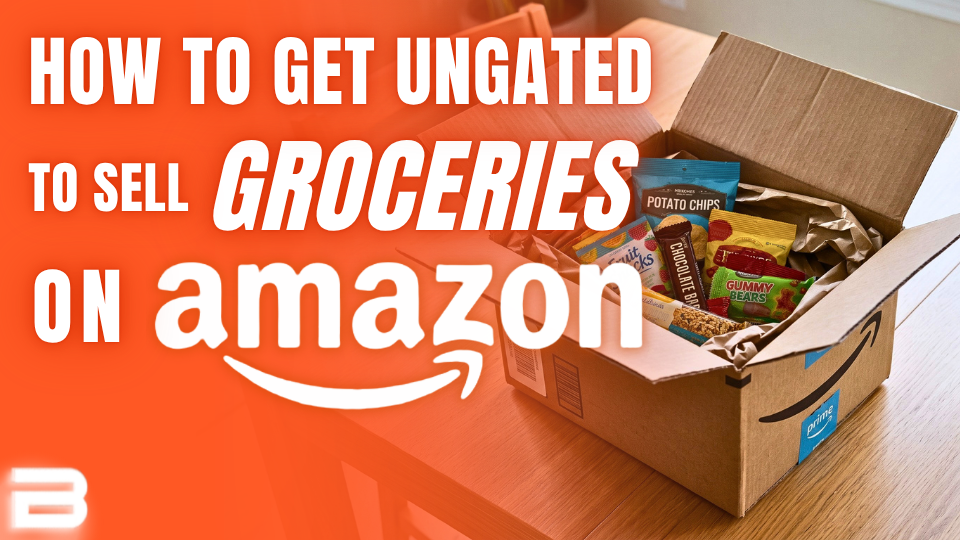
Found a great deal on candy or snacks, only to discover Amazon won't let you sell them?
Getting ungated in Amazon's Grocery & Gourmet Food category may seem daunting at first, but it can open the door to tons of new sourcing opportunities. Here's how to get approved, avoid common mistakes, and find profitable products with Boxem.
Why Grocery Is Worth Getting Ungated
Grocery offers year-round opportunities, from everyday pantry staples to seasonal favorites that fly off shelves. Candy, snacks, coffee, and baking supplies are all worth researching.
Plus, Amazon's standard policy makes most grocery products non-returnable, meaning fewer return-related headaches.
Keep in mind that groceries come with a few extra considerations, like expiration date requirements. Amazon also restricts meltable products from FBA during warmer months, such as chocolate or gummies.
Just make sure your grocery products meet Amazon's requirements and give you enough time to sell through your stock before it expires.
Start With Products You Can Already Sell
Before spending money on an ungating order, check for products already available to sell for your account. Some brands are auto-ungated for new sellers, meaning you can list them right away without submitting an application.
Boxem's Bulk Ungating tool can help you find these opportunities. The Suggested ASINs List checks products likely to be auto-ungated for your account, letting you scan hundreds of ASINs at once instead of checking listings one by one.
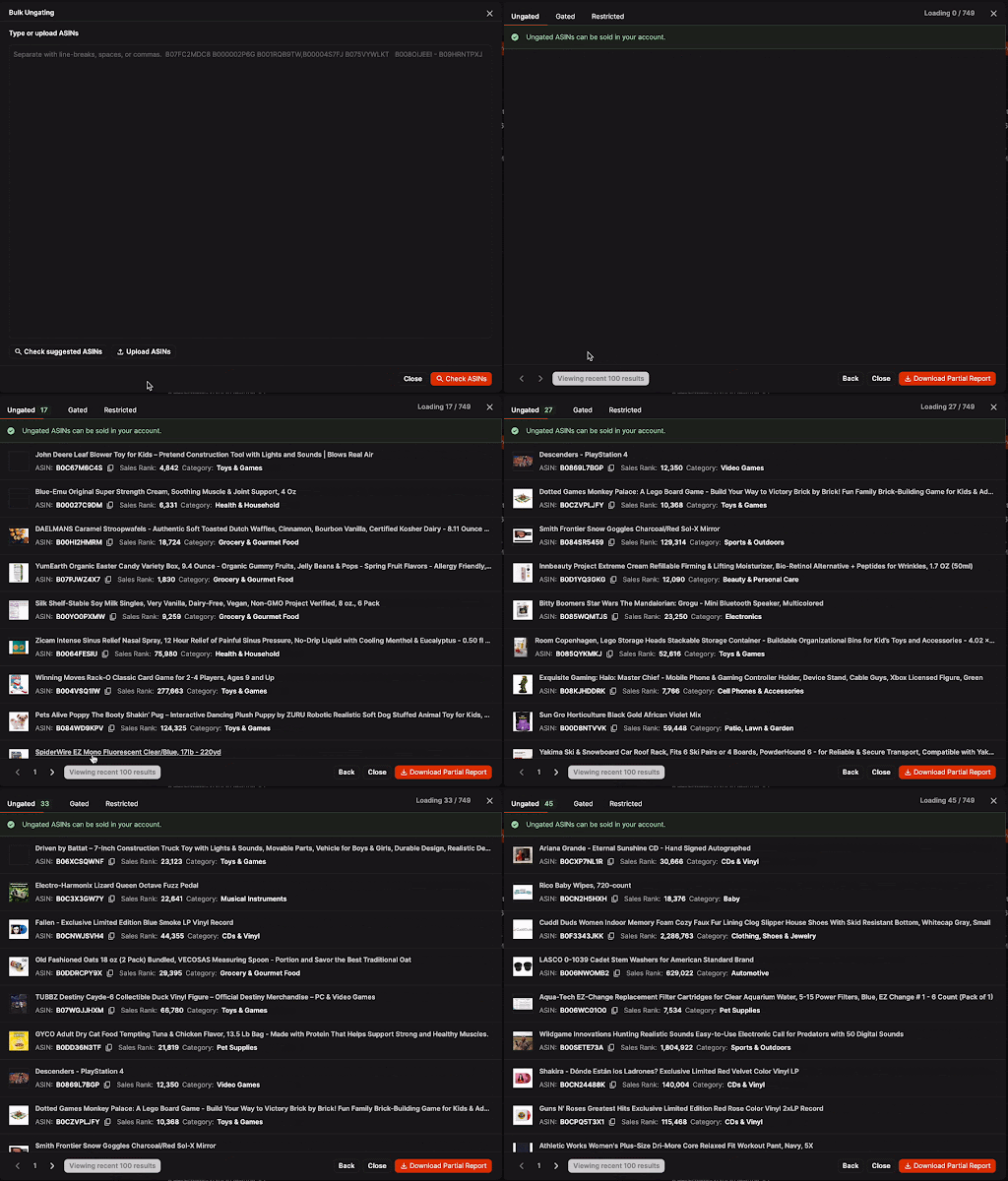
Starting with auto-ungated products lets you start making sales immediately while you work through approvals for larger brands and categories.
The more sales history you have with Amazon, the more Boxem can help you unlock new brands to sell without submitting applications.
Being Gated Isn’t a Dead End
When Amazon requires approval to sell a product, don't automatically move on to the next deal. Amazon simply wants proof that your inventory comes from a legitimate source.
In many cases, one qualifying purchase can help you get approved to sell both a specific brand and products in the broader category.
For example, buying TAZO tea could help you get approved for the brand while also meeting the requirements for Amazon’s Grocery & Gourmet Food category, opening the door to even more profitable finds.
Buy From a Reputable Supplier
The right supplier matters when submitting your application.
When possible, buy directly from the brand. If the brand sells through major retailers, those can also be good sources for ungating purchases.
For grocery, examples include:
- Walmart
- Target
- Costco
- Sam's Club
Buying from a well-established supplier makes it easier for Amazon to verify you’re selling legitimate products.
Regardless of where you buy, make sure your documentation meets Amazon's requirements.
The Ungating Order Checklist
Ready to submit an application? Here's how to get started.
1. Find an inexpensive product. Search a trusted retailer's website for a grocery product you want to get approved for. For example, TAZO Organic Zen Green Tea bags at Target.
2. Check the required quantity. Amazon often requires documentation showing a purchase of 10-100 units for grocery products, but requirements vary. Review the specific application in Seller Central before placing your order.
3. Use your business details at checkout. Make sure the billing or shipping address matches the address on your Amazon Seller account. This helps Amazon verify your purchase.
4. Save your order confirmation. Download the invoice or order confirmation as a PDF so it's ready to submit with your approval request. Name the file something simple, like "TAZO tea November 2026," to keep everything organized if you need to resubmit later.
That's it. Once you place your order, you'll have the documentation Amazon requires to apply for ungating.
What If Amazon Rejects Your Application?
A denied ungating application doesn't always mean there's a problem with your purchase or invoice.
Sellers often need multiple attempts to get approved, so don't give up after the first rejection.
The key is to strengthen your submission each time you apply, giving Amazon a new reason to approve the request.
You can also try rearranging the documents in your PDF before resubmitting. For example, if you originally included the order confirmation, shipping information, delivery confirmation, and product photos in that order, try moving the product photos to the front.
Sometimes Amazon flags information as missing even when you've already included it. If that happens, make the relevant details easier to spot. Highlight or circle the product quantity, supplier information, address, or any other detail Amazon says is missing.
The goal is to make your documentation easier to review and ensure the important information stands out.
Your Next Profitable Find Starts Here
Getting ungated may seem overwhelming at first, but it doesn't have to be complicated. Purchase from reputable suppliers, keep your documentation organized, and don't let rejections discourage you from trying again.
Each approval gives you access to more products and new sourcing opportunities. With a little patience and persistence, you'll spend less time dealing with restrictions and more time finding inventory that can grow your Amazon business.
Subscribe to our Weekly Newsletter
No spam, notifications only about new products, updates.

Get Started Today,
Ship Smarter with Boxem
Boxem streamlines all operations so you can focus on what truly matters.